Sanctuary
Expert. Layout, paths, obstacles and map mechanics.
Sanctuary
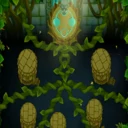
Layout
The map as loaded (sandbox, Easy), in game coordinates. Hover an area to see its type; click an obstacle to remove it with its areas. Dashed: the path is off at the start and a map mechanic turns it on. Purple dotted: a hidden path, not marked on the track in the game. Moving parts show where they were at load.
Paths
| Path | Length | At start | Who enters | When it changes |
|---|---|---|---|---|
PathEntranceL | 233 | active | entry | – |
PathEntranceR | 233 | active | entry | – |
PathExit1 | 219 | active | entry in Reverse mode | – |
PathExit2 | 109 | active | entry in Reverse mode | – |
PathExit3 | 109 | active | entry in Reverse mode | – |
PathExit4 | 219 | active | entry in Reverse mode | – |
PathBoss | 453 | active | bosses only, also in Reverse mode | – |
Paths are named as in the game files. Length in game units. “Who enters”: which bloons the spawn point sends onto the path; the other paths continue the entry ones. Identical paths from several spawn points show as one row.
Mechanics
| When | What happens | Once | Where |
|---|---|---|---|
| round start | moves a platform | no | on the map |
| round start | moves a platform | no | on the map |
| round start | moves a platform | no | on the map |
| round start | moves a platform | no | on the map |
| round start | moves a platform | no | on the map |
| round start | moves a platform | no | on the map |
| round start | moves a platform | no | on the map |
| round start | moves a platform | no | on the map |
Map events from its model: condition and actions. Hover or click a row to see it on the map: yellow where it fires (a click, an obstacle), green what appears or turns on, red what goes away or turns off, blue what moves. A click applies the event to the map and shows the result; a second click undoes it.